
eToro
Guide to download the account statement
1Open the history of the portfolio
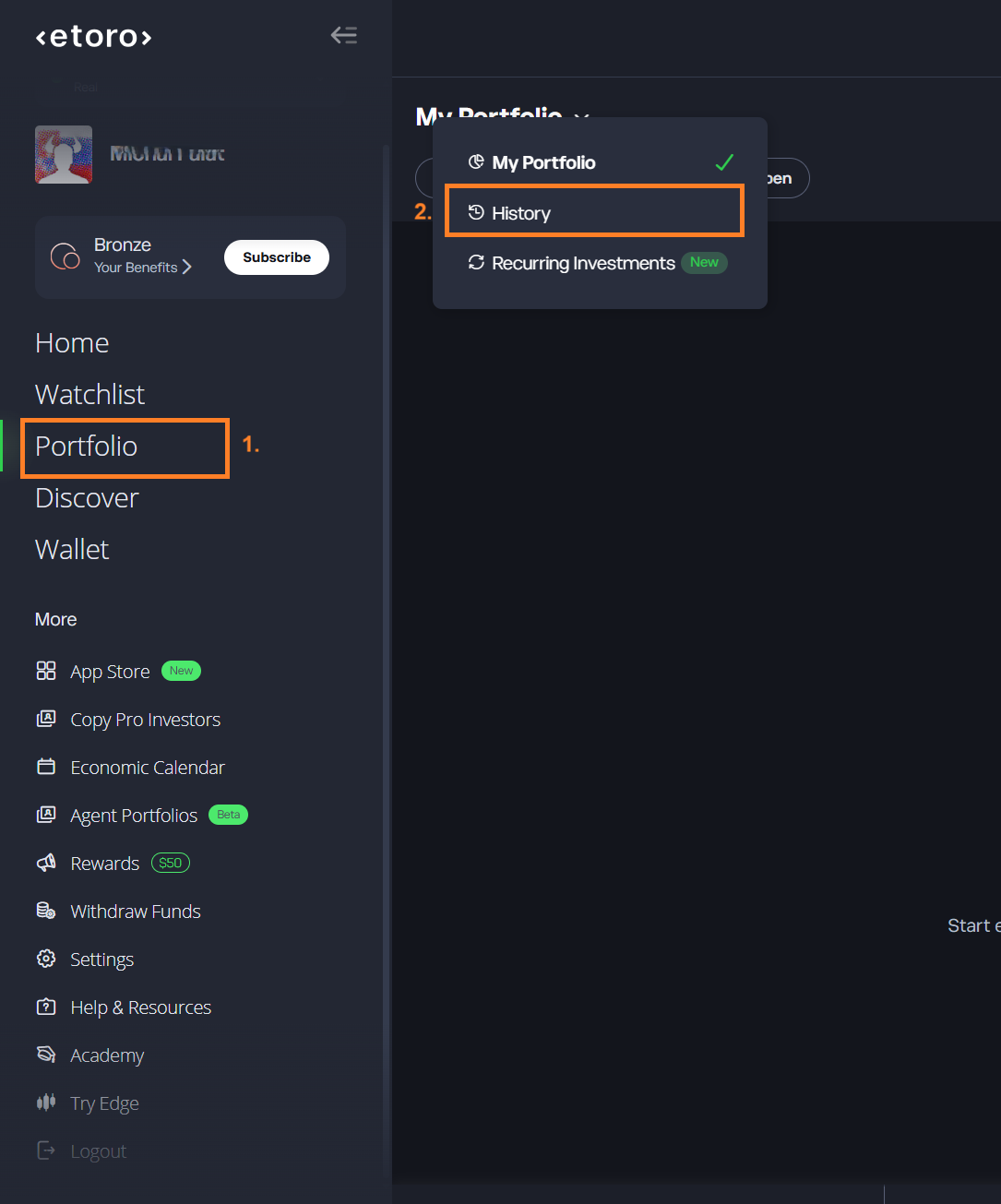
Log in at etoro.com. In the menu on the left, select Portfolio (1). At the top, click the heading My Portfolio and select History in the menu (2).
2Open the account statement
On the History page, click the last icon of the row at the top right, after the filter icon and the list icon. In the menu, select Account Statement (1).
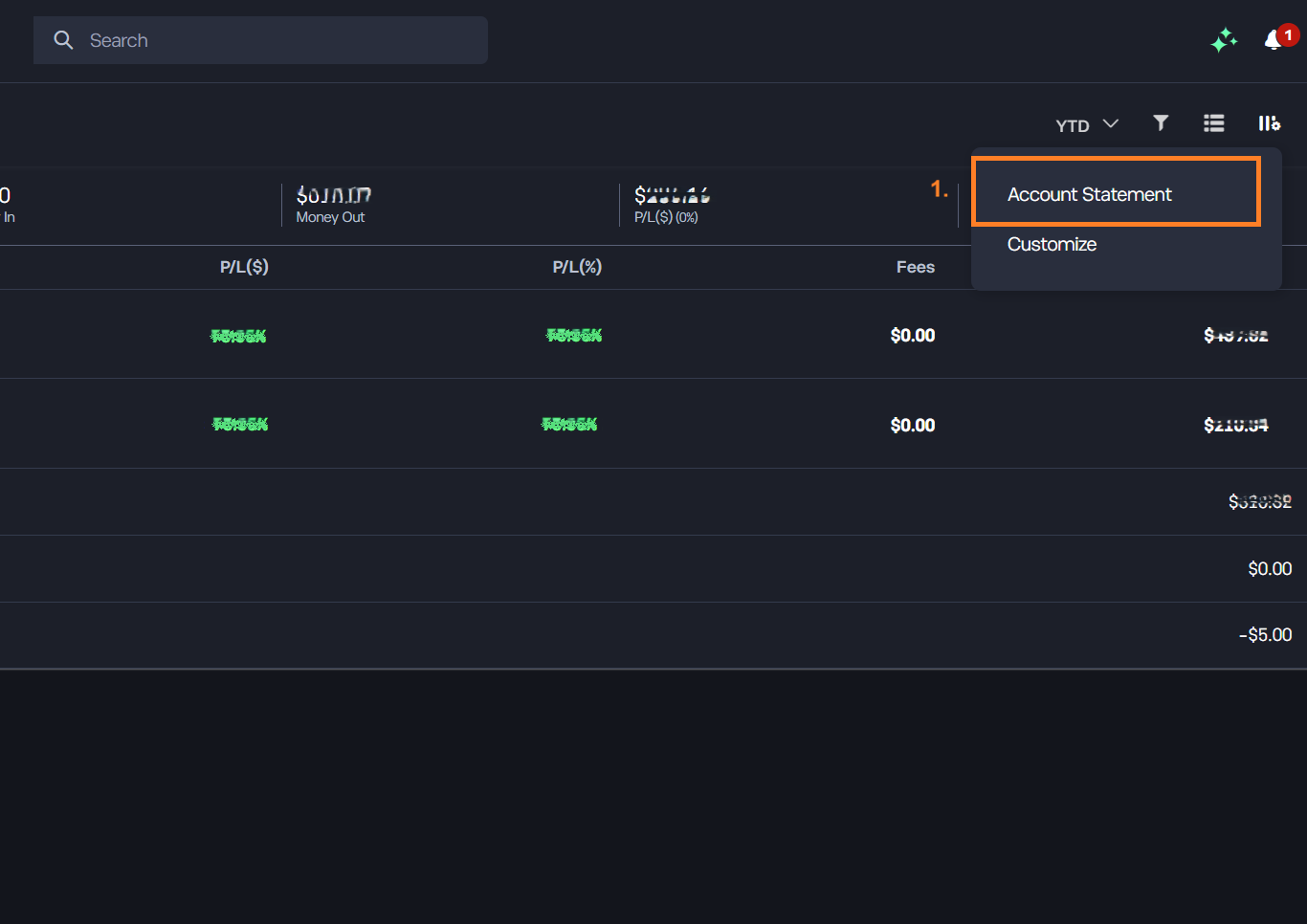
Swipe the screenshot to the side, or tap it to open it at full size.
3Select the full period
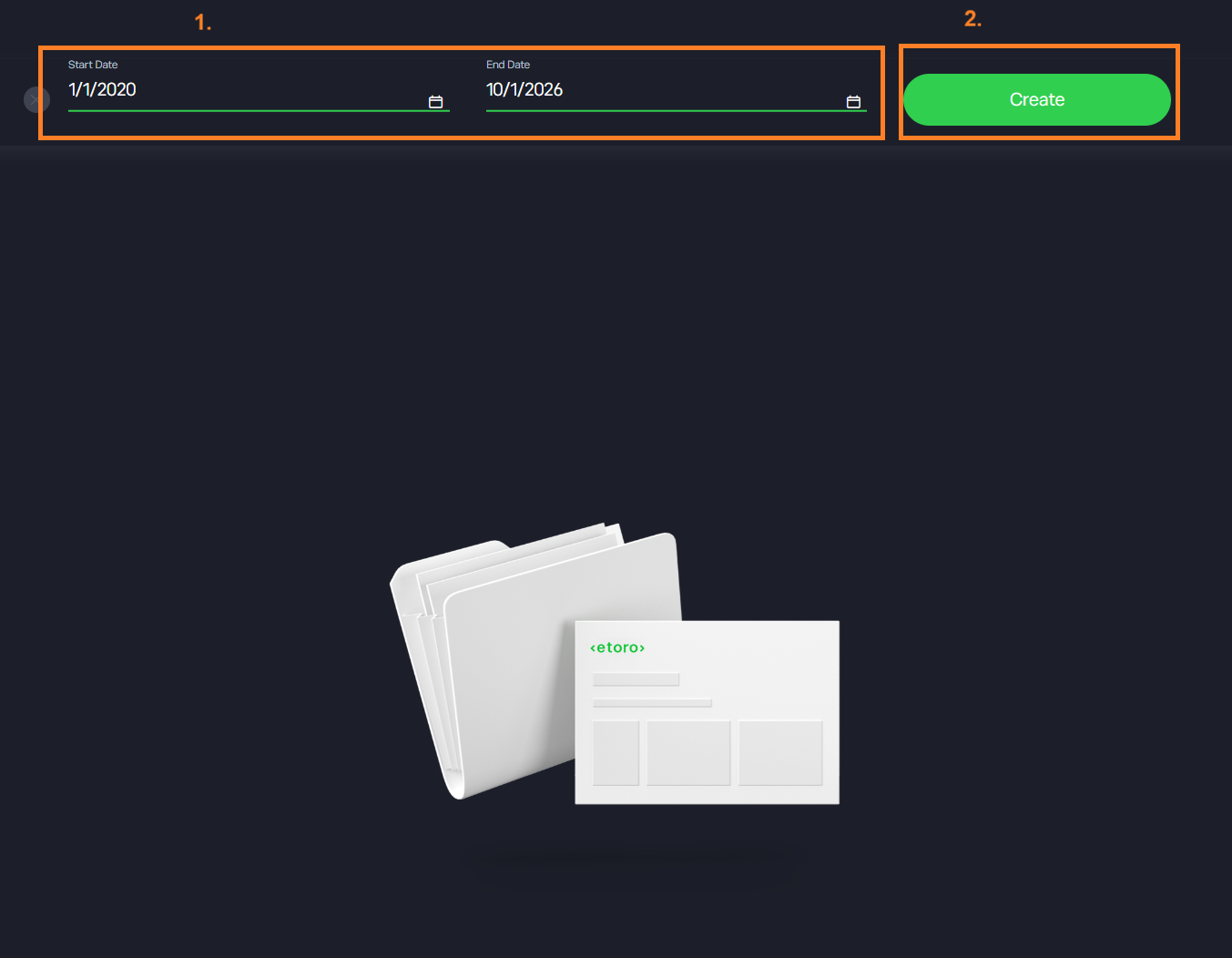
In the field Start Date, enter the day on which you opened the account, or an earlier day. In the field End Date, enter the date of today (1). Then click Create (2).
4Download the statement as XLSX
When the statement shows, click the green xls icon at the top right (1). A file downloads. Its name starts with etoro-account-statement and ends with .xlsx.
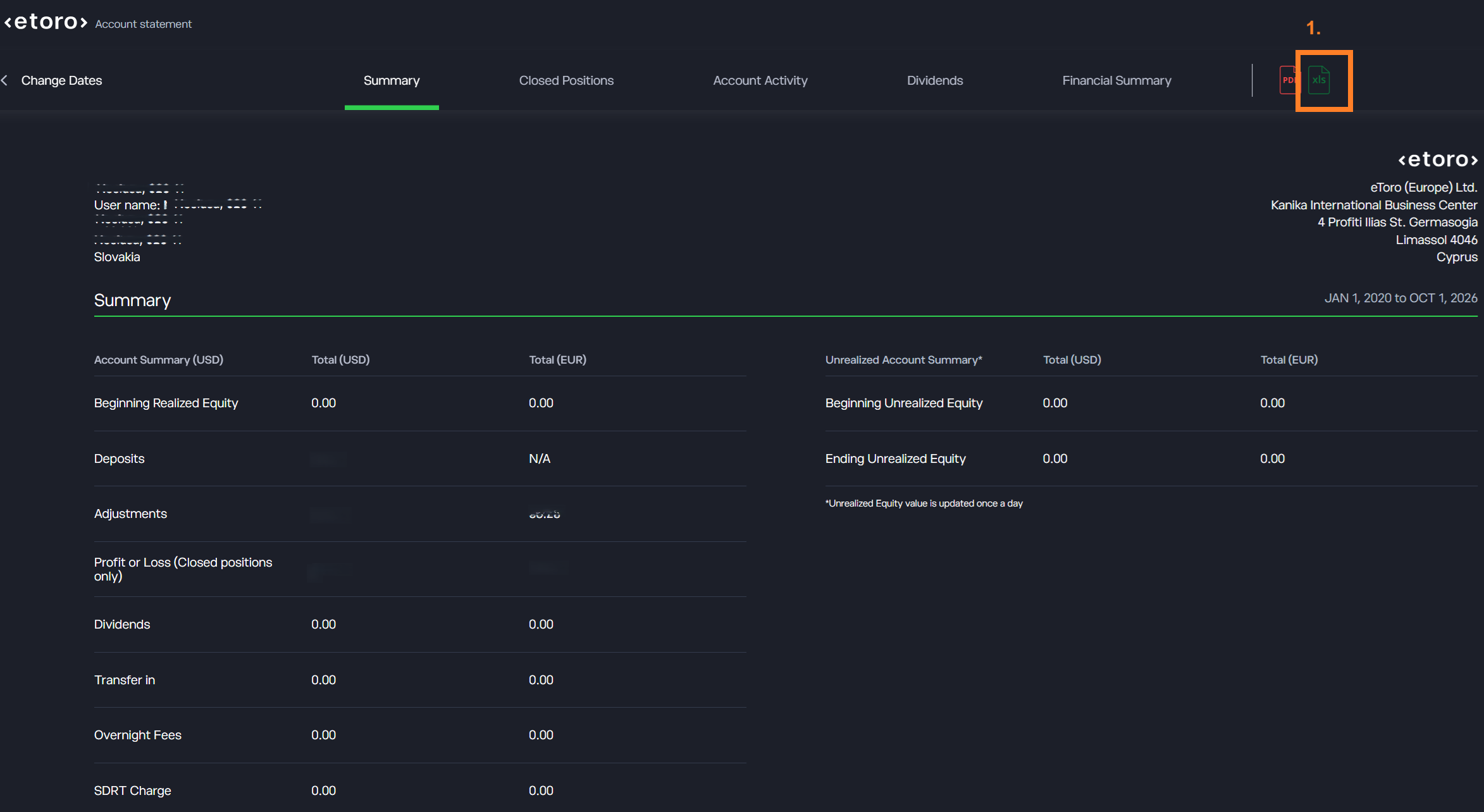
Swipe the screenshot to the side, or tap it to open it at full size.
5Upload the statement to Taxify
- 1.In Taxify, open Accounts and select your broker account. If you do not have one yet, create it.
- 2.On the Import trades tab, drop the files into the marked area or select them with the button. Upload every year.
- 3.When the processing is complete, you see the imported trades and you can start the tax calculation.
Tips
- eToro closes each position separately. Taxify therefore matches each sale with the purchase of the same position, not with the FIFO method. The result of each position then agrees with the eToro statement.
- Taxify does not import open positions, because they have no effect on the tax. It adds them when you upload a statement in which they are closed. The purchase day and the cost are in the same row of the statement.
- Next year, upload a new statement. Periods that overlap are no problem: Taxify skips the positions that it already has.
- Leveraged positions and short positions are CFDs. The one-year time test and the €500 exemption do not apply to CFDs and crypto.
- Taxify does not calculate staking rewards and free shares (AirDrop) as income. The import summary shows them as a warning.
- Copied trades (CopyTrader) are usual positions in the statement. Taxify reads them in the same way.